

Dorado Release
Accelerate insurance product innovation, simplify regulatory change, and bring AI closer to everyday decisions
Insurity’s Dorado release brings regulatory content and rating logic together to help insurers implement changes faster, reduce maintenance costs, and accelerate product launches. Dorado also introduces AI-powered risk insights to advance claims modernization and strengthen capabilities across policy administration, marine, loss control, and workers’ compensation, giving teams more time to focus on the decisions that move their business forward.


What Dorado Delivers
Accelerate product launches and regulatory change
Dorado combines regulatory content and rating capabilities to help insurers implement bureau updates and launch insurance products faster, with less manual maintenance.
Reduce the cost and complexity of commercial rating
An API-first rating engine built for commercial lines connects existing policy administration systems, helping insurers manage rating logic, preserve carrier-specific deviations, and reduce the cost of change.
Bring AI and automation closer to insurance decisions
AI-powered risk insights, automated data updates, and targeted operational enhancements help insurers uncover information faster and improve decisions across the insurance lifecycle.
Modernize claims on a stronger foundation
Dorado’s new cloud-native capabilities and integrated workflows help insurers modernize claims operations, improve adjudication accuracy, and reduce administrative effort.
See What’s New in Dorado
Insurance teams are navigating thousands of regulatory changes each year while facing increasing pressure to launch products faster and manage more complex operations. Dorado accelerates insurance product innovation, simplifies regulatory change, and advances claim modernization with AI-powered insights and targeted enhancements that help insurers reduce complexity and improve operational efficiency.






Ratio Content & Rating Engine
Take the complexity out of regulatory change
- Bring insurance products to market faster. Turn machine-readable bureau content into production-ready rating logic, combining regulatory rates, rules, and forms to accelerate product launches and implement changes up to 4X faster.
- Reduce the cost of regulatory change. Centralize bureau updates, rating logic, and version history in one engine to simplify maintenance, preserve carrier-specific deviations, and reduce the manual effort of managing thousands of regulatory changes annually.
- Rate simple and complex policies in seconds. Deliver super-fast rating for small commercial policies and high-performance processing for complex commercial risks, including fleets of 30K+ vehicles in under a minute, all through a single rating engine.

Policy Decisions
Make routine policy changes faster and with greater control
- Manage customer-specific language for policy changes without waiting on support. Create and modify the wording used to explain policy changes on Change Endorsement transactions. Accelerate speed to market through self-service updates.
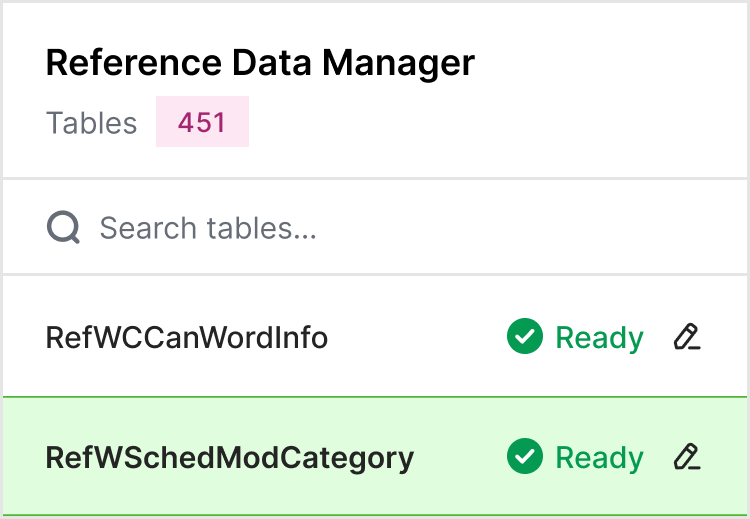
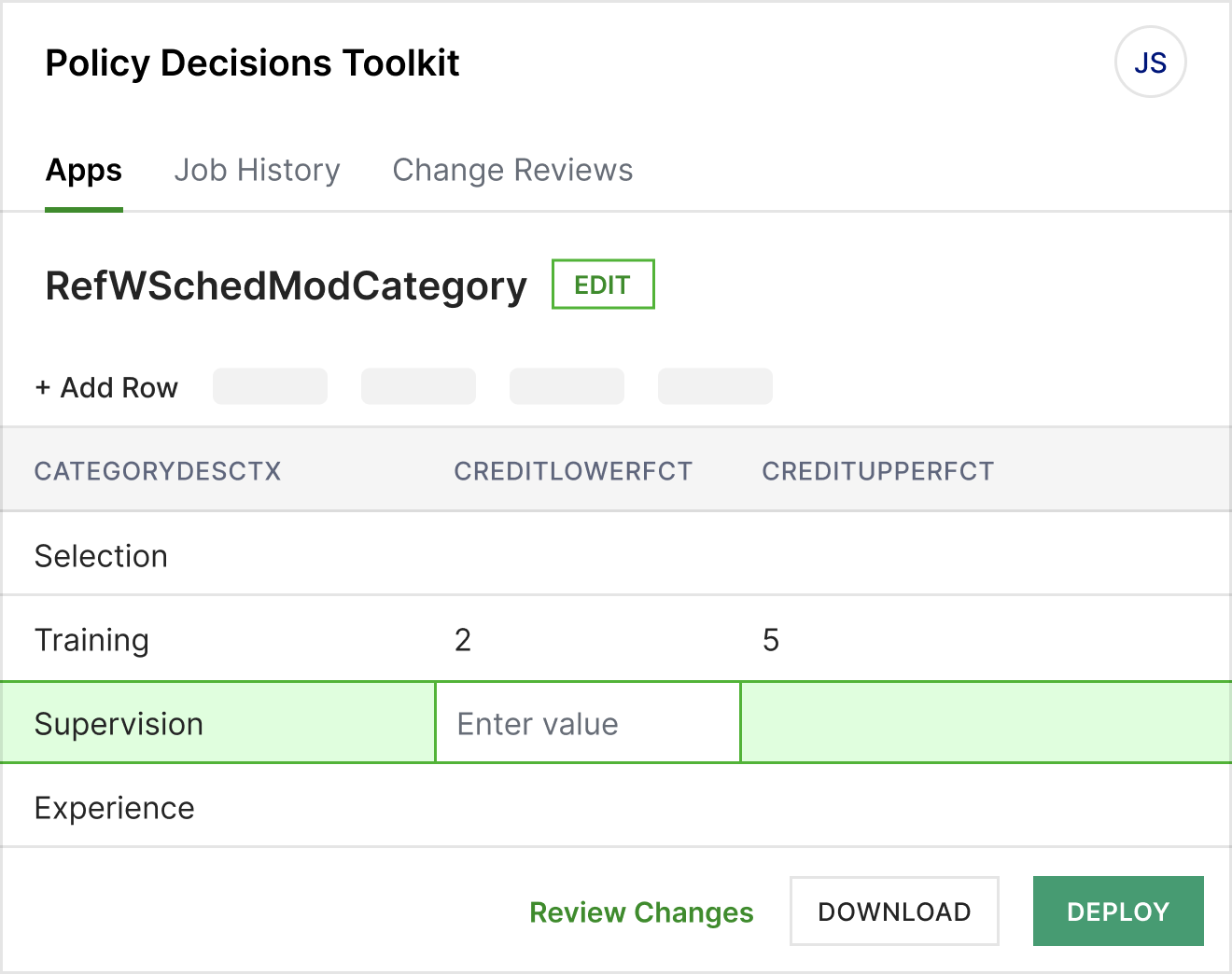
- Take control of reference data updates. Allow authorized users to manage permitted reference tables through a controlled workflow, with configurable user and table access. Review changes and promote them from test to production without relying on Insurity to process every routine request.
- Complete policy transactions with less scrolling. Updated BOP, Crime, and Umbrella screens introduce clearer field placement and a more intuitive layout. Required information is easier to find, helping users navigate complex screens more efficiently while supporting accessibility, efficiency, and throughput improvements of 20% or more.


Pro Suite
Streamline multi-carrier policy management and financial operations
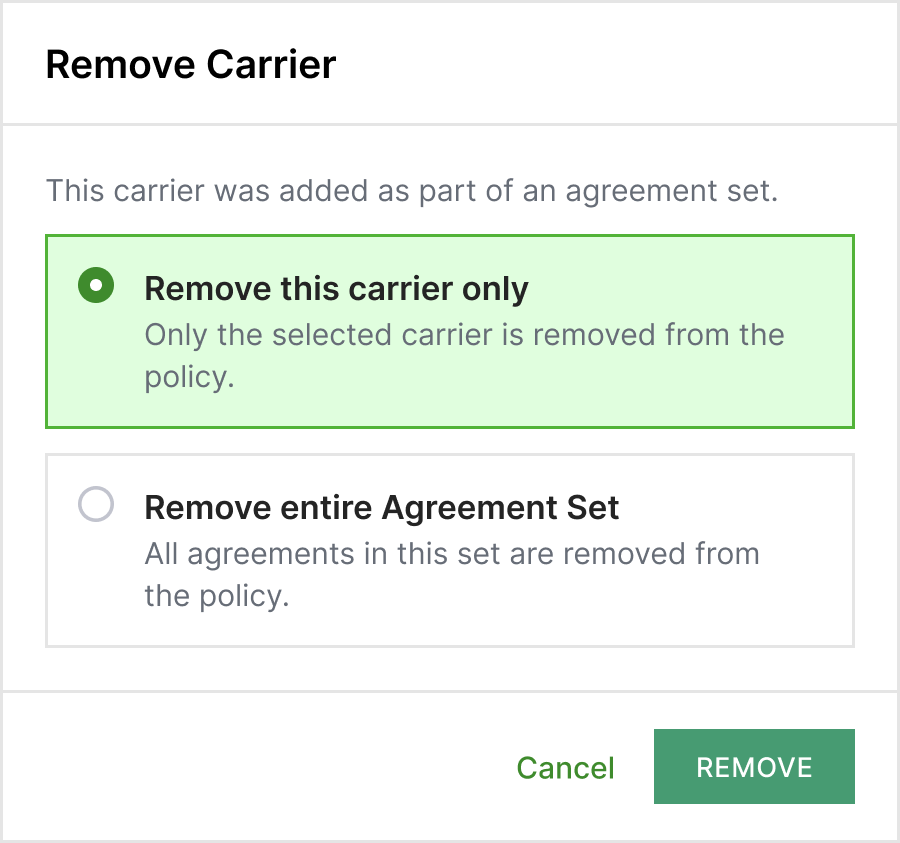
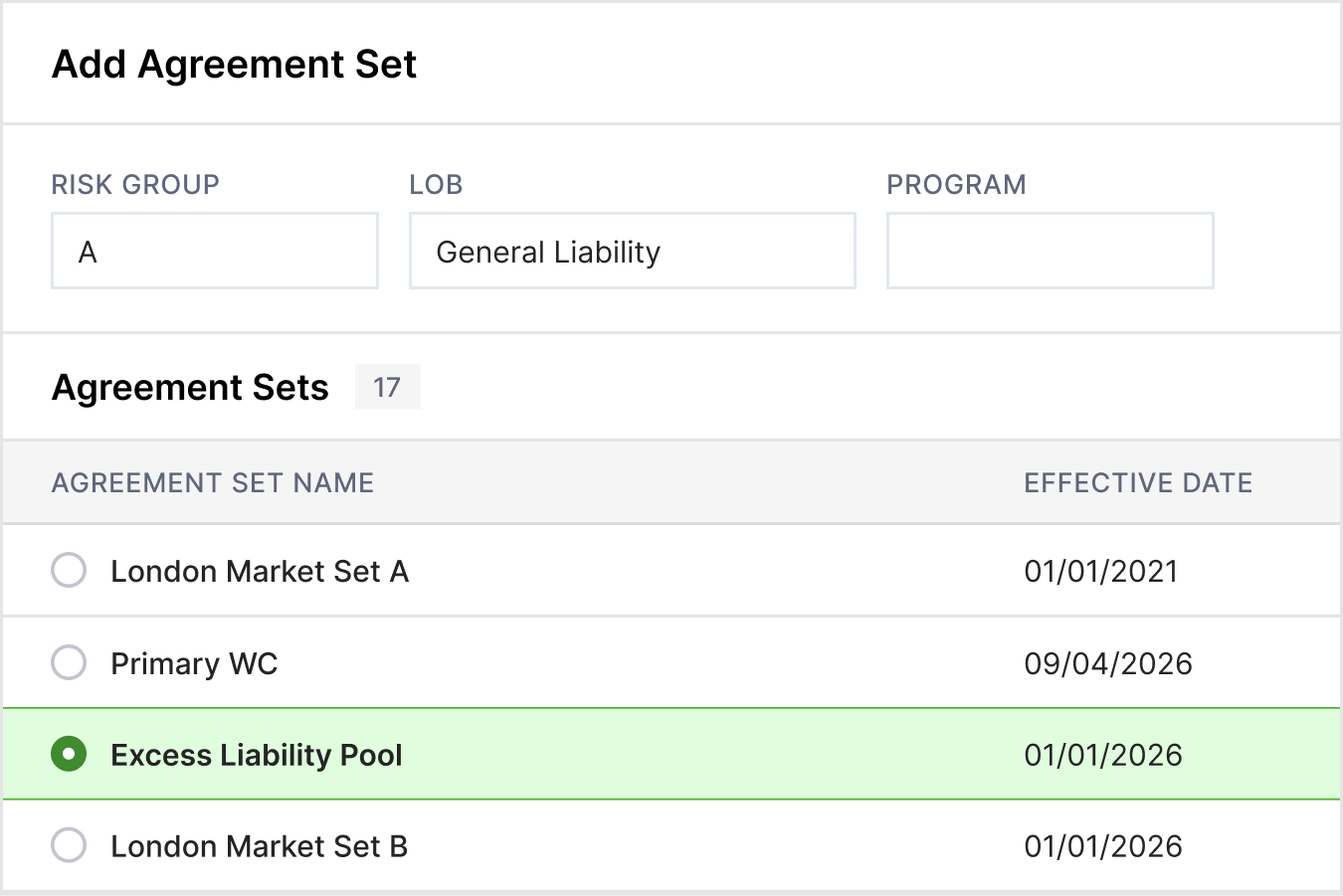
- Manage multi-carrier agreements with greater control. The new Agreement Set Management feature lets users view and update participating carriers directly within policy administration. Add, remove, or restore carriers while preserving historical policy activity, with API support for managing agreements across systems.
- Simplify foreign-currency deposits and receipts. With Foreign-Currency Deposits and Deposit-Based Receipts, users can manage transactions in multiple currencies while maintaining visibility into original amounts, exchange rates, and converted book values. Reuse exchange rates across receipts to reduce manual conversions and improve financial accuracy.
- Take the manual work out of reconciliation. The new Batch Reconciliation feature lets finance teams save and reuse reconciliation criteria, preview results, and process large batches in the background. Completion notifications and optional disbursement creation make recurring financial operations easier to manage.


SpatialKey
Turn complex risk data into actionable insight with AI
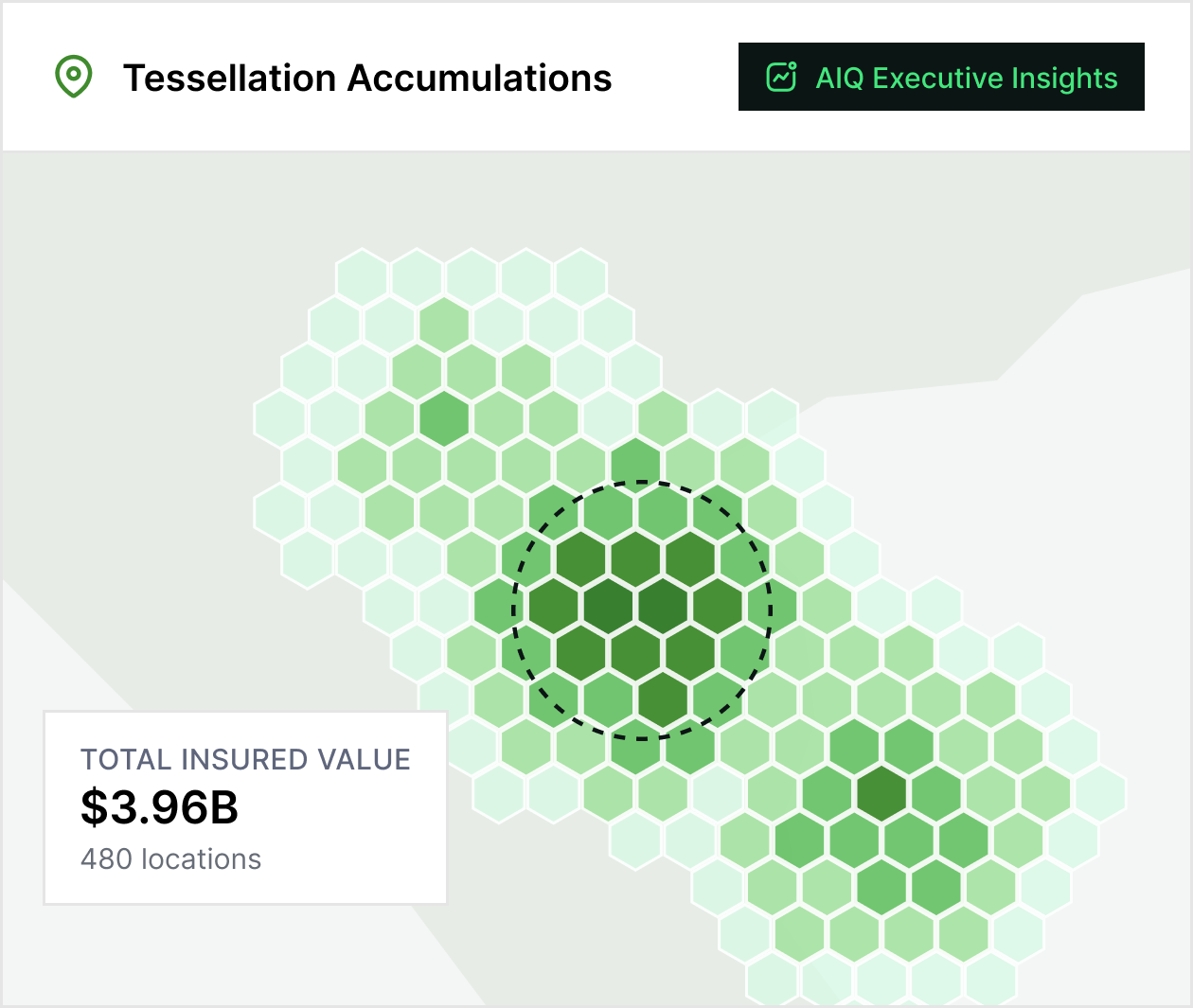
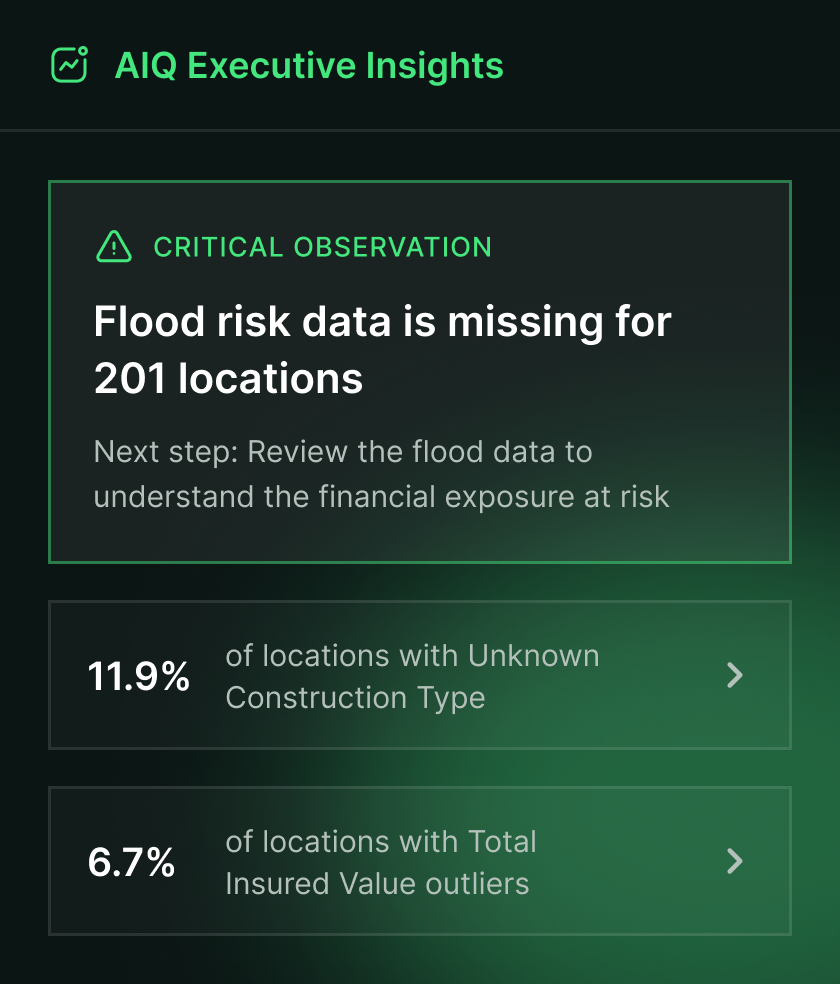
- Uncover insights from your data in seconds. SpatialKey AIQ Executive Insights uses AI to highlight actionable observations and potential next steps based on dashboards, portfolios, and geospatial analysis. With a single click, users can develop a faster understanding of complex information without requiring deep analytical expertise or manual analysis.
- Ask questions. Get insights with AI. SpatialKey AIQ Conversational AI capability lets users interact with dashboards using natural language to uncover insights, create charts, apply filters, and configure maps. Users can analyze complex geospatial data without writing queries or manually navigating multiple tools.
- Make risk patterns easier to spot. New charting capabilities turn detailed SpatialKey data into bar, line, and scatterplot visualizations. Compare trends, identify relationships, and evaluate risk across categories directly within the platform, without exporting data for additional analysis.
- See more of the risk picture. The expanded Data Marketplace adds building property characteristics from ATTOM/Melissa and global flood and wildfire event data from ICEYE, giving insurers more information to assess exposures, evaluate catastrophe impacts, and inform underwriting decisions.


Insurity Claims
A modern, cloud-native
foundation for claims
management
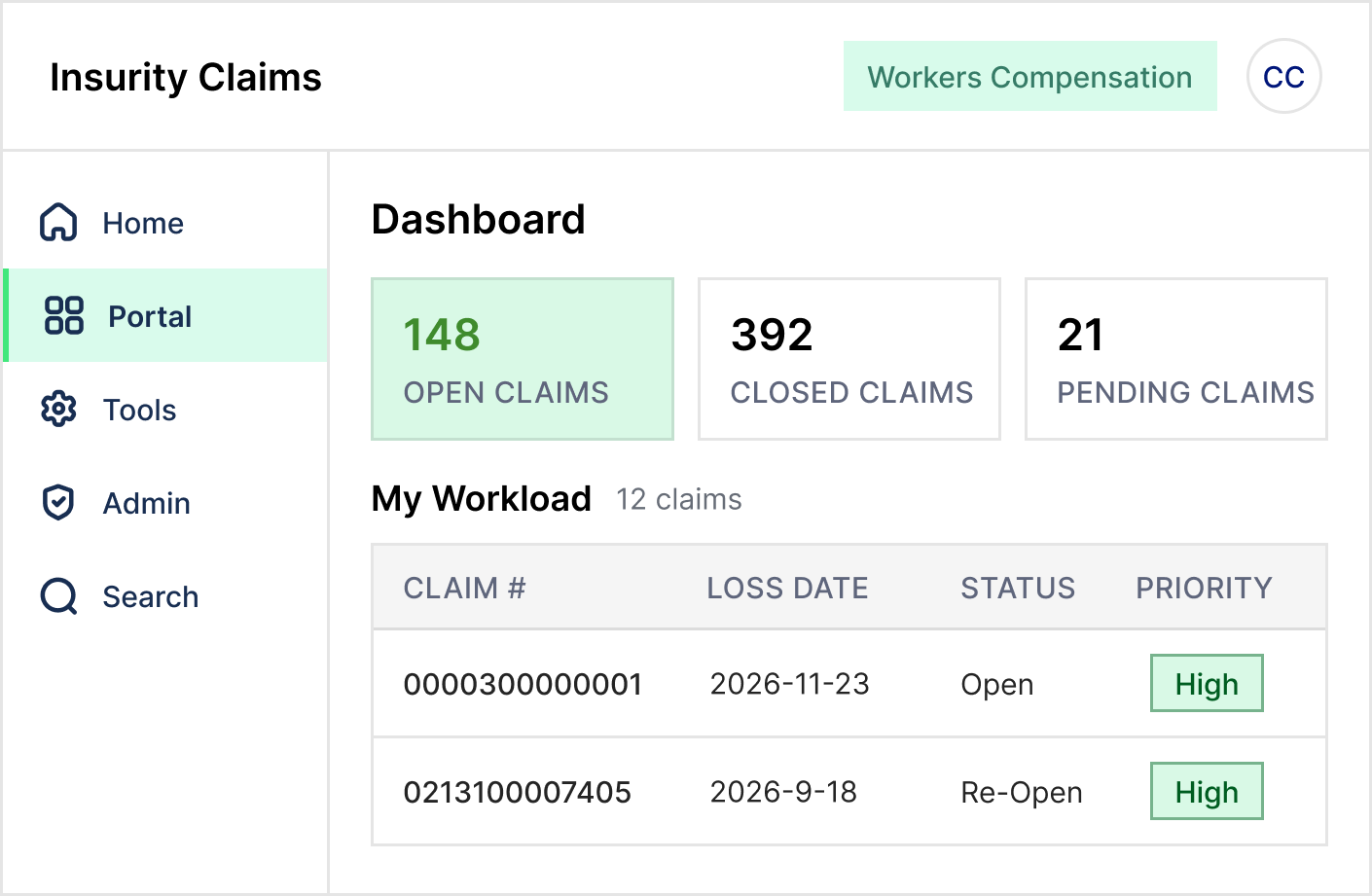
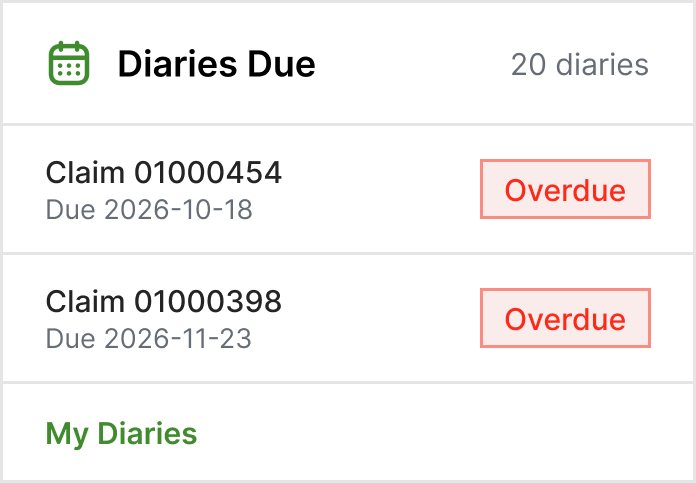
- Modernize claims operations with a connected platform. The initial launch of Insurity Claims introduces a cloud-native platform integrated with Pro Suite, combining modern technology with proven ClaimsXPress capabilities to support ongoing modernization.
- Access innovation faster through SaaS delivery. Frequent releases support ongoing enhancements, deeper integrations, and expanded capabilities while reducing legacy infrastructure and upgrade management.
- Build toward more connected claims operations. The platform establishes a foundation for future expansion across claims workflows, analytics, automation, digital engagement, and AI-powered capabilities.


ClaimsXPress
Give claims teams more information and fewer manual steps
- Improve claims accuracy with centralized eligibility and deductible information. New capabilities let authorized users manage covered persons, eligibility, and individual deductibles directly within Accident & Sickness claims, reducing duplicate entry and supporting more accurate adjudication.
- Draft claim documentation without constantly switching screens. Floating Notepad and Letter Editors let adjusters keep documents open while reviewing claim information, making correspondence faster and supporting multi-monitor workflows.
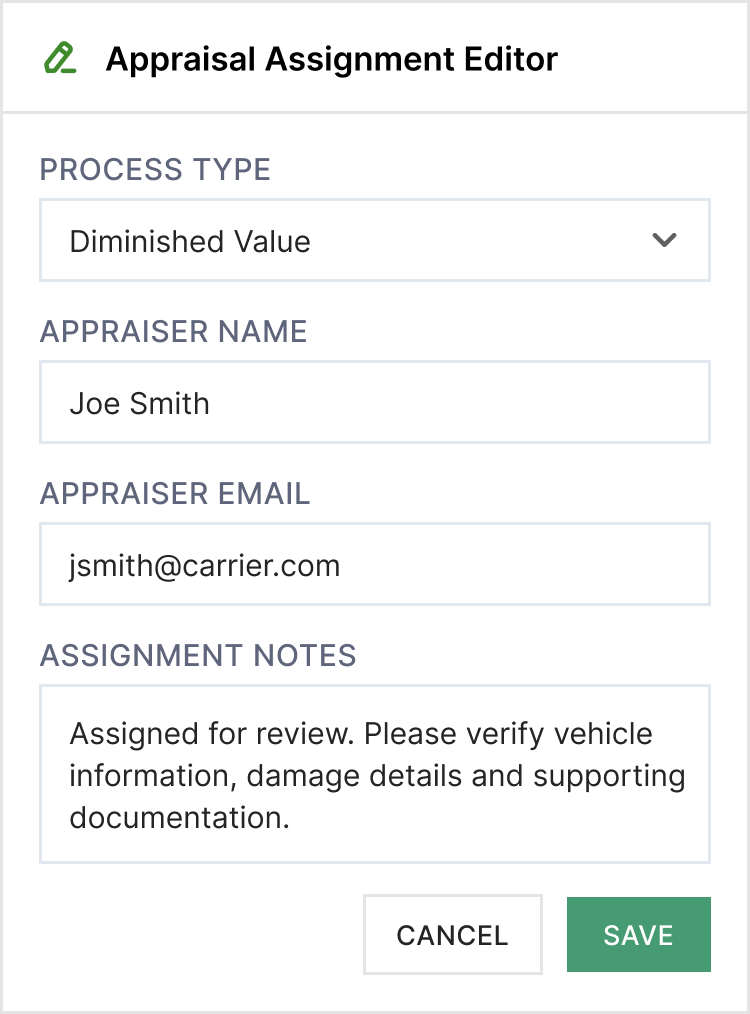
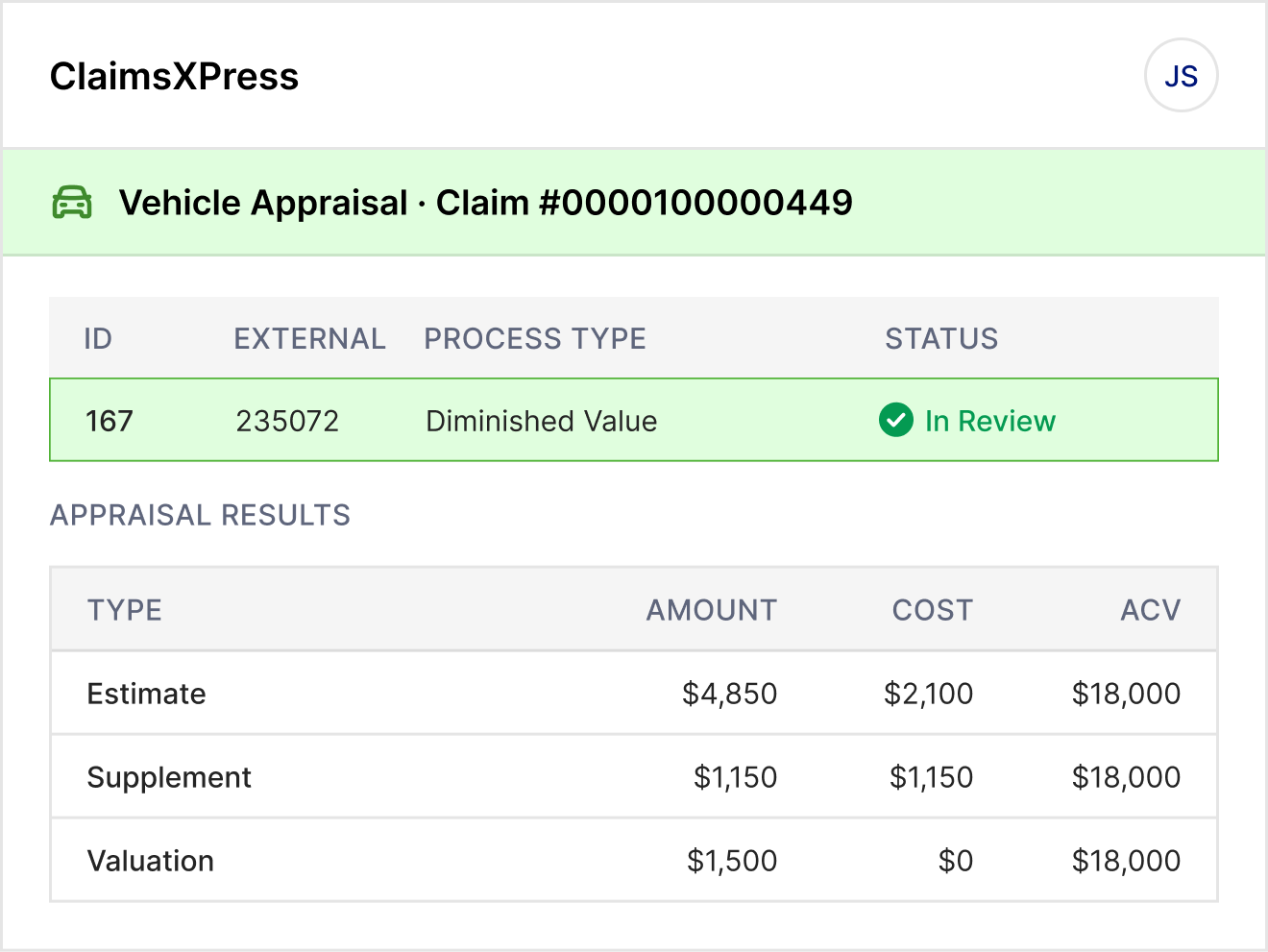
- Manage vehicle appraisals directly within the claim. Integrated Vehicle Appraisal Management centralizes assignments, estimates, valuations, and supporting documents, while automated vendor updates reduce manual follow-up and improve visibility.

Marine Suite
Simplify marine payments and strengthen vessel-risk visibility
- Make shipment payments faster and more convenient. New Clientside capabilities let assured users pay outstanding invoices or pending shipments through CyberSource or Stripe, with successful payments automatically completing shipment bookings.
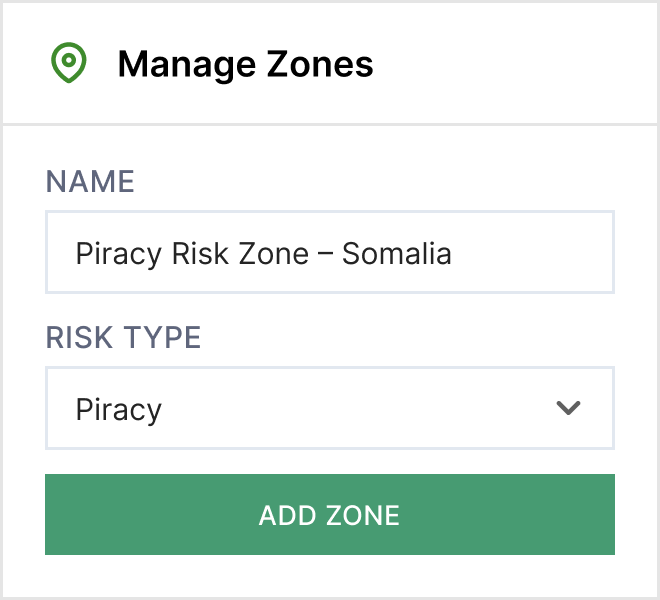
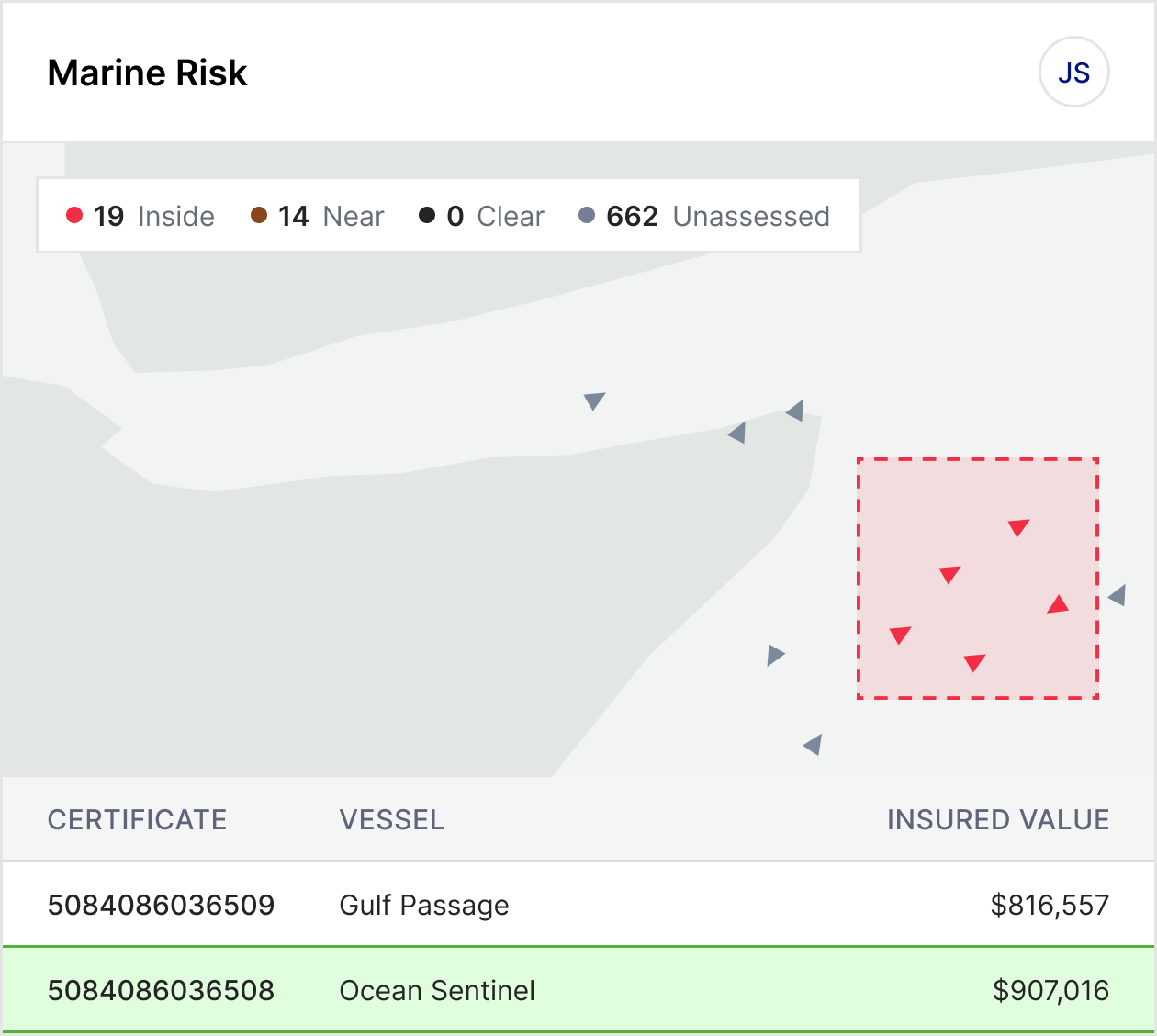
- Monitor vessel exposure with greater visibility. The Vessel High Risk Dashboard centralizes vessel locations, routes, shipments, and insured exposure, with 15 preconfigured JWC risk zones, customizable settings, and scheduled risk notifications.

Loss Control
Complete field surveys with less repetitive work
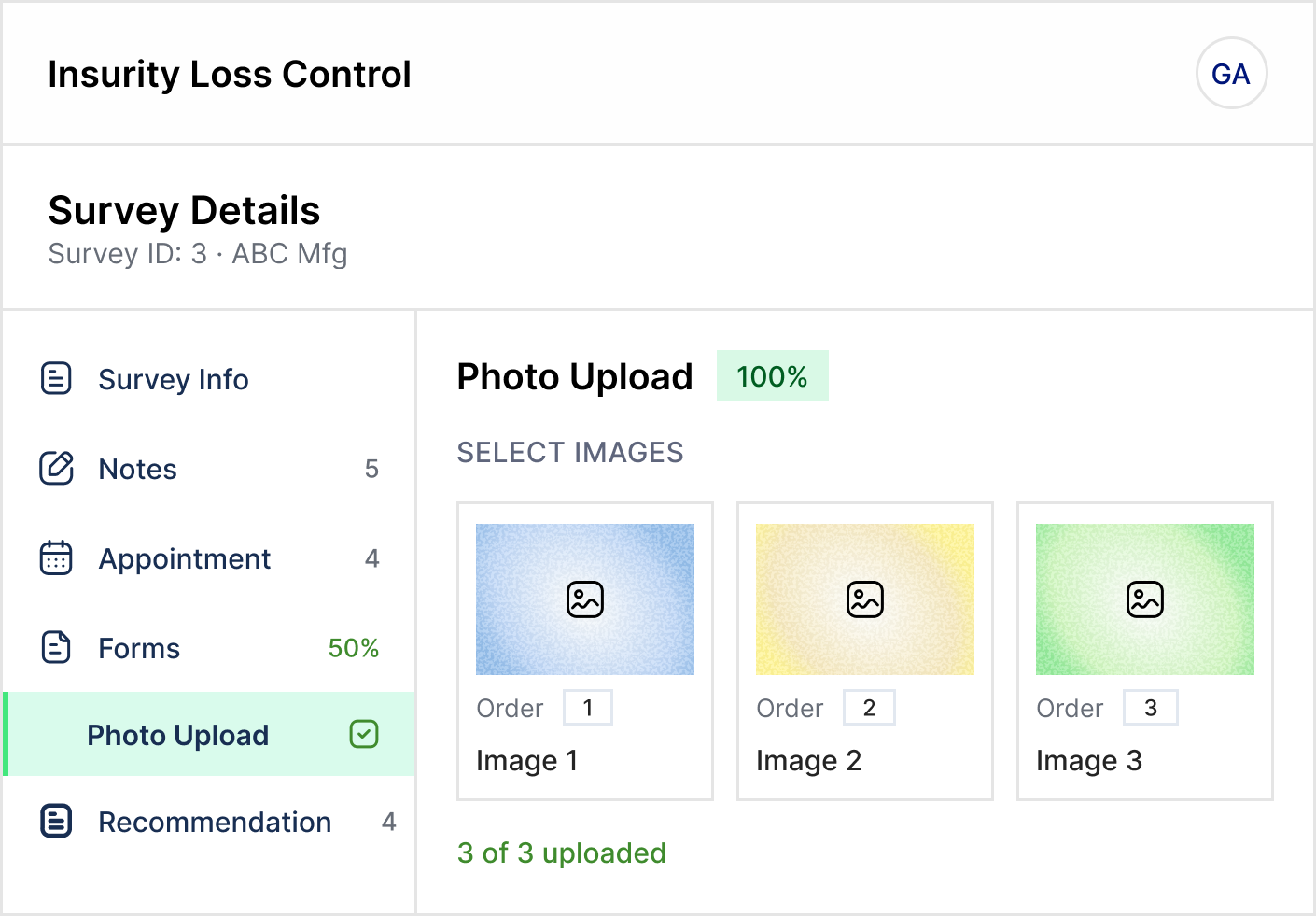
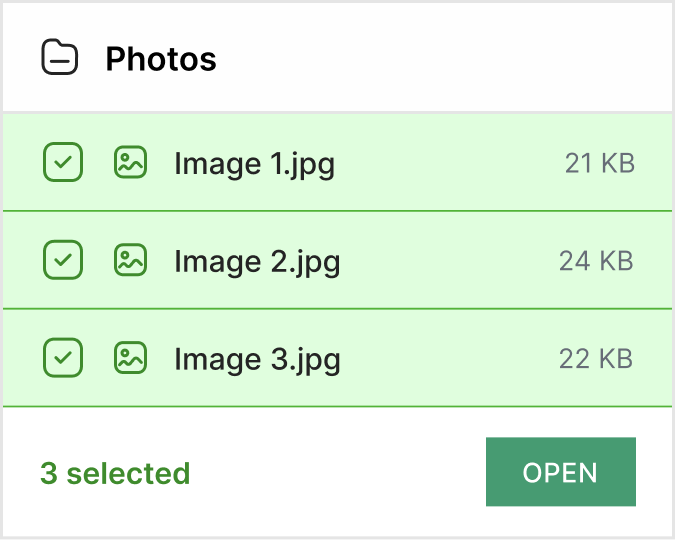
- Document recommendations faster in the field. Loss Control Mobile App enhancements let surveyors upload multiple supporting images at once instead of adding them individually. This reduces repetitive work, improves survey efficiency, and helps surveyors complete documentation while visiting the policyholder.


Workers’ Comp Suite
Connect critical processes and simplify premium audit processing
- Simplify audit and loss control integrations. New data feeds simplify integration between Workers’ Comp Suite and Insurity’s stand-alone Premium Audit and Loss Control systems.
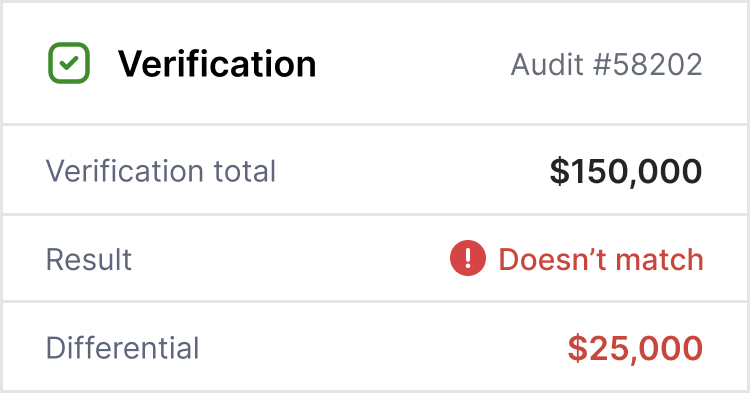
- Verify self-audit information with greater accuracy. A new Verification section lets teams compare insured-submitted information against supporting documents, identify discrepancies, and document reviews. Bulk updates to audit assignments further simplify workload management.
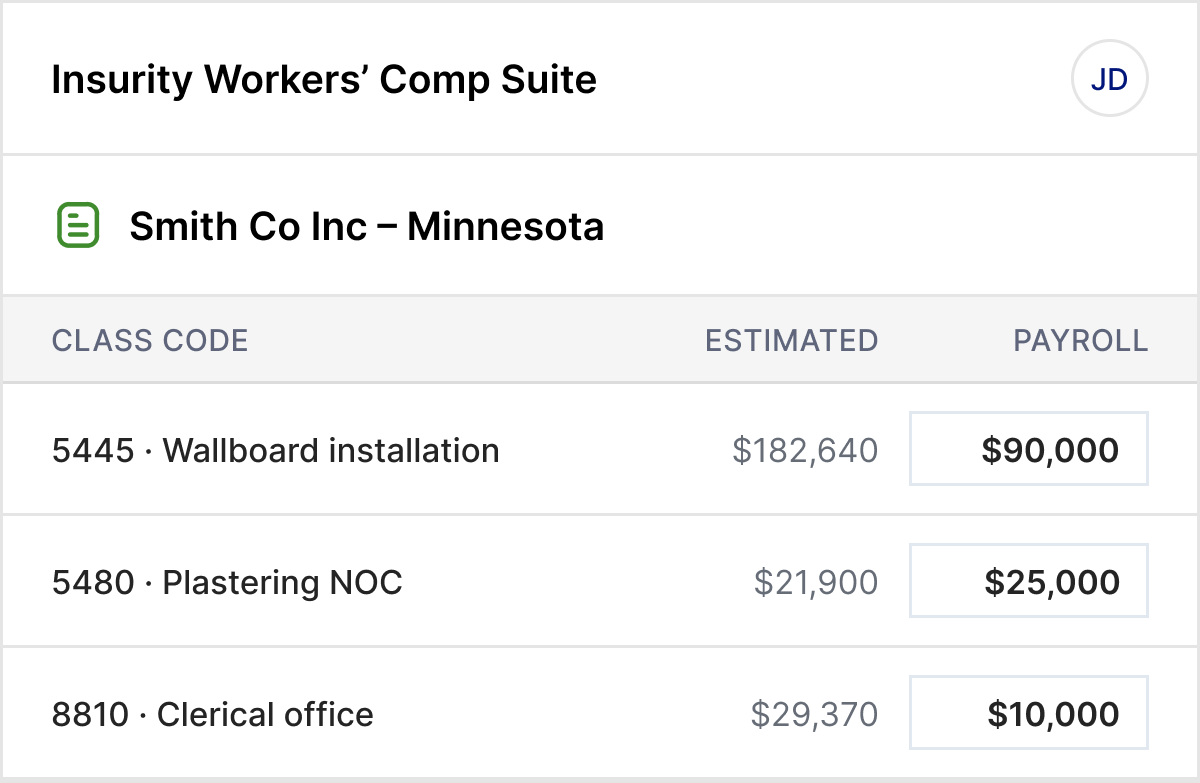
- Make payroll reporting clearer for insureds and agents. A new layout removes unnecessary employee-count fields, while additional controls prevent payroll reporting beyond policy cancellation, reducing errors and supporting more accurate billing.
Related resources




Get the latest product updates
Be the first to hear about Insurity’s new releases, capability enhancements, and innovations across the platform.
You're in!
Thanks for subscribing. You'll now receive the latest news on Insurity's product releases by email.
Previous Releases


Book a demo
Want to see the newest features in action? Step inside the Insurity platform with a demo tailored to your business priorities.